


Troubleshooting Hopkins Smart Hitch Backup Camera Blue Screen
Updated 08/20/2018 | Published 08/17/2018
Products Featured in This Question
Question:
I installed the hopkins smart hitch on my 2009 nissan titan model # 50002 along with the factory brake wiring from amazon . worked great for about 6 months now i get a blue screen on my monitor when i put it reverse,still works when it wants to. any ideas ? thanks
asked by: Scott
Helpful Expert Reply:

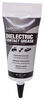
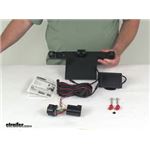
The Hopkins Smart Hitch Backup Camera and Hitch Aligner System # HM50002 having a blue screen shows the monitor is getting power but not receiving the signal from the camera. Because it works some of the time, it sounds like a wiring issue and not a camera issue. The connections may simply be a little loose, so I recommend first checking the wiring connections and adding a little dielectric grease # 11755 to keep debris and moisture out of the connections.
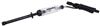
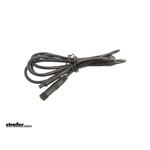
If that doesn't solve your issue, then you will need to inspect the wiring using a circuit tester like # PTW2993 to find the short in your wiring. If you need to replace the wiring, you can use Extension Cable for Hopkins Smart Hitch Backup Camera - 25 ft # HM3100504061


Featured Help Information
Miscellaneous Media

Continue Researching
- Search Results: hopkins backup camera
- Shop: Buyers Products RV Backup Camera System w/ Night Vision - Rear Mount - 7" Screen
- Q&A: Troubleshooting Blue Screen on Hopkins Smart Hitch Backup Camera After Car Wash
- Video: Buyers Products RV Backup Camera System w/ Night Vision Review
- Shop: Trailer Wiring
- Shop: Hopkins Plug-In Simple Vehicle Wiring Harness for Factory Tow Package - 7-Way and 4-Flat Connectors
- Shop: Trailer Hitch
- Shop: Front Mount Hitch
- Shop: Curt Front Mount Trailer Hitch Receiver - Custom Fit - 2"
- Shop: Curt Front Mount Trailer Hitch Receiver - Custom Fit - 2"
- Shop: Buyers Products RV Backup Camera System w/ Night Vision - Rear Mount - 7" Screen